Debit Not Available Code 14: What It Means and How to Handle It
Decline code 14 means debit not available. Learn why this hard decline happens, how processors surface it, and what SaaS merchants should do next.
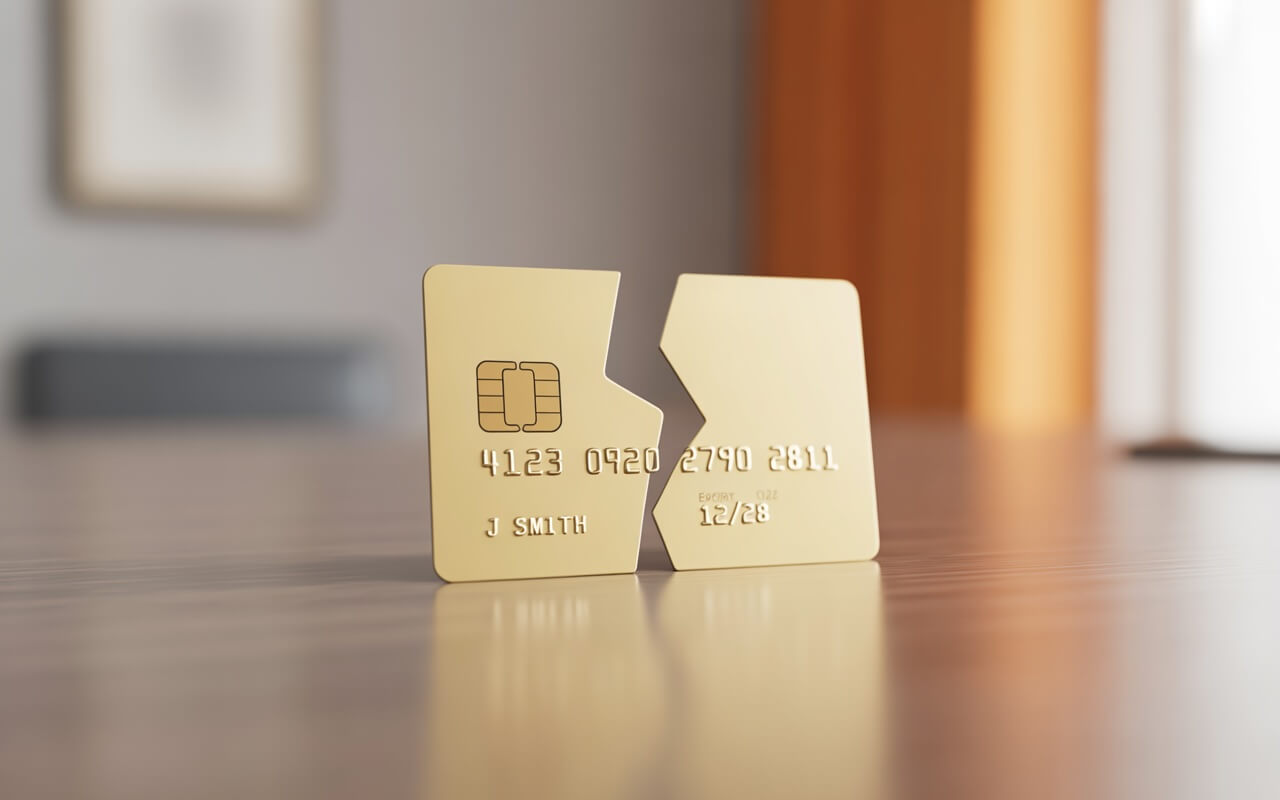
Decline code 14 is one of the clearest signals in the payment ecosystem: the card number you submitted does not exist. It maps to ISO 8583 response code 14, carried in Data Element 39 of the authorisation response message, and it means the issuing bank looked up the Primary Account Number (PAN) and found nothing. For subscription merchants, this typically means a stored card on file was reissued with a new number, the account was closed, or the original PAN was entered incorrectly. Unlike the ambiguous “Do Not Honor” (code 05), code 14 leaves no room for interpretation. It is a permanent hard decline that Visa classifies as Category 1 (“Issuer Will Never Approve”), and every retry attempt incurs immediate network penalties.
Key Takeaways
-
Code 14 is a permanent hard decline with zero permitted retries on Visa. Every reattempt triggers a $0.10 domestic or $0.15 to $0.25 cross-border penalty fee from the very first retry. Mastercard penalties reach $0.50 per excess attempt as of January 2025.
-
The “Debit Not Available” label is not a separate meaning. It arises when a debit transaction is routed over a secondary network where the card is not enrolled. The PAN is valid on the primary Visa or Mastercard network but does not exist on the attempted debit network.
-
Card reissuance is the leading cause for subscription merchants. Approximately 30% of payment cards are reissued annually with a new number, and the old stored PAN immediately becomes invalid.
-
Account Updater is your first line of defence, not retries. Running Visa Account Updater (VAU) or Mastercard Automatic Billing Updater (ABU) queries 5 to 7 days before each billing cycle can catch reissued cards before they produce code 14 declines.
-
Recovery requires customer action. Smart retry logic cannot fix an invalid card number. Dunning with explicit messaging about the card being inactive and a one-click update link is the only path to recovery.
What Code 14 Technically Means at the Network Level
In the ISO 8583 messaging standard, Data Element 39 (Authorisation Response Code) carries a two-digit code from the issuer. Code 14 is defined as “Invalid card number” or, in Visa’s specification, “Invalid account number (no such number).” The code sits within the issuer-driven response range (codes 01 through 39), positioned between code 13 (Invalid Amount) and code 15 (No Such Issuer), forming a logical cluster of data validation failures.
A critical technical nuance: code 14 is not the same as a Luhn check failure. The Luhn algorithm (mod-10) operates at the gateway or merchant level, catching structurally invalid PANs before they ever reach the card network. Authorize.Net confirms that its systems validate card numbers using Luhn “when they are submitted to our systems,” but this “does not confirm whether the card numbers were issued by a legitimate card issuer.” A code 14 response therefore means the PAN passed Luhn validation (the number is structurally plausible) but the issuer has no matching account in its database. The card number is mathematically valid but operationally nonexistent.
For a full taxonomy of all ISO 8583 decline codes and how they map across processors, see our complete decline codes reference.
Why Some Processors Label This “Debit Not Available”
The divergence between “Invalid Card Number” and “Debit Not Available” labels is not part of the ISO standard itself. As EBANX’s documentation notes, “ISO 8583 response codes are broad definitions that may be interpreted differently by card brands, banks, and regions.” The “Debit Not Available” interpretation arises specifically from dual-network debit card routing.
Under the Durbin Amendment (part of the Dodd-Frank Act, 2010), US issuers must enable at least two unaffiliated debit networks on each debit card. A Visa debit card might also carry the STAR, NYCE, or Interlink network logo. When a merchant’s acquirer attempts to route a PIN debit transaction over one of these secondary networks but the card is not actually enrolled on that network, the response is code 14. The PAN is valid on the Visa signature network but does not exist on the STAR network. In this context, “Invalid Card Number” and “Debit Not Available” describe the same technical outcome from different angles: the number is invalid on the attempted network.
This matters for subscription merchants primarily when processing debit cards with least-cost routing enabled. If your processor attempts a PIN debit route and receives code 14, the transaction may succeed if rerouted over the card’s signature network instead. Some processors handle this rerouting automatically; others surface the code 14 to the merchant. This is distinct from the permanent code 14 you receive when a card number genuinely does not exist anywhere, because the recovery path is network rerouting rather than customer contact.
Visa’s Category 1 Classification and the April 2024 Reclassification
Visa groups decline codes into four categories that govern retry permissions. Code 14 falls into Category 1: “Issuer Will Never Approve”, the most restrictive classification permitting exactly zero reattempts. Every single retry on a Category 1 decline triggers a penalty fee immediately: $0.10 for domestic transactions and $0.15 to $0.25 for cross-border transactions, appearing on merchant statements as “VI NEVER APPROVE REATTEMPT FEE.”
The April 2024 reclassification clarified a long-standing source of confusion. Since September 2020, code 14 had been classified in both Category 1 and Category 3 (Data Quality) simultaneously. The dual classification meant merchants could not reattempt the transaction (Category 1 rule) but the attempts were also counted towards Category 3’s excess reattempt thresholds. Visa’s April 13, 2024 update resolved this: code 14 was removed from Category 3 excess reattempts while remaining firmly Category 1. The practical effect is simpler compliance. Code 14 triggers the Category 1 “never retry” rule and the immediate per-reattempt fee, without also accumulating against the 15-reattempt threshold that applies to Categories 2 through 4.
For context, the four Visa decline categories work as follows:
| Category | Rule | Retries Allowed | Code 14? |
|---|---|---|---|
| 1: Issuer Will Never Approve | Zero retries, immediate fee | 0 | Yes |
| 2: Issuer Cannot Approve Now | Up to 15 in 30 days | 15 | No |
| 3: Data Quality | Up to 15 in 30 days | 15 | Removed April 2024 |
| 4: Generic | Up to 15 in 30 days | 15 | No |
How Mastercard Handles Code 14 Differently
Mastercard handles code 14 through its Authorisation Response Category 79 (Lifecycle Declines) rather than an absolute “never approve” bucket. The critical distinction lies in the Merchant Advice Code (MAC) returned alongside the decline.
For code 14 under Category 79, Mastercard typically returns MAC 01 (“New account information available”), which advises merchants to check Account Updater services for updated credentials before contacting the cardholder. This reflects Mastercard’s view that an invalid card number often means the account was reissued rather than permanently closed. However, issuers can override this with MAC 03 (“Do not try again”) when the account is truly closed or flagged as fraudulent. The MAC is issuer-determined, not fixed per decline code. The same code 14 from two different issuers can carry different MACs.
When MAC 03 accompanies code 14, Mastercard’s rules prohibit any reattempt within 30 days, and penalties apply for violations. Mastercard’s penalty structure has escalated sharply: $0.15 per excess attempt in November 2023, $0.30 in January 2024, and $0.50 as of January 2025 in the United States. This makes Mastercard’s penalties potentially more expensive per violation than Visa’s, even though Mastercard’s initial stance is more permissive.
| Attribute | Visa | Mastercard |
|---|---|---|
| Category | Category 1 (Never Approve) | Category 79 (Lifecycle) |
| Default advice | Do not retry | Check Account Updater (MAC 01) |
| Retries allowed | Zero | Up to 35/30 days (unless MAC 03) |
| Penalty per excess retry | $0.10 domestic / $0.15 to $0.25 cross-border | $0.50 per excess attempt |
| Monitoring window | Per attempt (immediate) | 24-hour and 30-day windows |
How Each Payment Processor Surfaces Code 14
Each processor abstracts ISO 8583 codes into its own nomenclature. The mappings are consistent in classifying code 14 as a hard decline but differ in field names and specificity.
Stripe
Stripe maps code 14 to two possible decline_code values: incorrect_number and invalid_number, both carrying the description “The card number is incorrect.” Since API version 2024-12-18, Stripe also exposes the raw network code in charge.outcome.network_decline_code as "14". Stripe’s Smart Retries for Billing subscriptions will generally not reattempt these declines. The seller dashboard message reads: “The bank returned the decline code ‘incorrect_number’.”
Braintree / PayPal
Braintree returns processor_response_code 2005 with processor_response_text “Invalid Credit Card Number.” Their documentation is explicit about retry rules: “2005 hard decline: Do not retry the transaction with the same payment information.” Adjacent codes include 2007 (No Account), 2008 (Card Account Length Error), and 2009 (No Such Issuer). Braintree separates each validation failure into distinct codes rather than bundling them.
Adyen
Adyen uses refusalReasonCode 8 with refusalReason “Invalid Card Number.” With raw acquirer responses enabled in the Customer Area, merchants can also see additionalData.refusalReasonRaw as "14 : Invalid card number". Adyen actively prevents excessive retries by introducing refusal code 46 (“Transaction blocked by Adyen to prevent excessive retry fees”), which fires when their system detects a merchant is about to incur network penalties.
Square
Square returns errors[].code as INVALID_CARD under errors[].category “PAYMENT_METHOD_ERROR”, with the detail message: “The specified card number is invalid. For example, it is of incorrect length or is incorrectly formatted.”
Authorize.Net
Authorize.Net presents a quirk worth noting: their own internal code 14 means “The referrer, relay response or receipt link URL is invalid,” which is a gateway configuration error completely unrelated to card numbers. The ISO 8583 code 14 surfaces as gateway-level Reason Code 6 (“The credit card number is invalid”) when caught during validation, or as the generic Reason Code 2 (“This transaction has been declined”) when the decline comes from the processor without specifics.
Cross-Processor Mapping
| Processor | Code | Label | Classification |
|---|---|---|---|
| Stripe | incorrect_number / invalid_number | The card number is incorrect | Hard decline |
| Braintree | 2005 | Invalid Credit Card Number | Hard decline |
| Adyen | 8 | Invalid Card Number | Hard decline |
| Square | INVALID_CARD | Card number is invalid | Hard decline |
| Authorize.Net | Reason Code 6 | Credit card number is invalid | Hard decline |
How Code 14 Relates to Code 05 (“Do Not Honor”)
Code 05 and code 14 are entirely different in both meaning and operational handling, despite both appearing in decline scenarios. Code 05 is the single most common decline code, representing roughly 30 to 40% of all declines globally. Code 14 represents an estimated 2 to 5% of declines. But their classifications diverge sharply: code 05 is Visa Category 4 (Generic), allowing up to 15 retries in 30 days, while code 14 is Category 1 with zero retries.
The connection between these codes exists because issuers frequently return code 05 as a generic catch-all when the actual issue is debit unavailability. An issuer that does not want to specify the exact reason (or whose system lacks granular response codes) will default to code 05 rather than returning the more specific code 14 or code 57 (Transaction Not Permitted). This means that some “debit not available” scenarios surface as code 05 (soft decline, retryable) while others surface as code 14 (hard decline, not retryable). The same underlying card-network issue produces different decline codes depending on the issuer’s implementation.
For merchants, this ambiguity makes code 05 declines harder to triage than code 14, which at least communicates a clear, actionable problem. If you are seeing elevated code 05 declines on debit card transactions specifically, some portion of those may be debit routing failures that the issuer has masked behind the generic response.
Common Causes in Subscription and Recurring Billing
For stored card-on-file scenarios, the leading cause of code 14 is card reissuance with a new number. Approximately 30% of payment cards are reissued annually with changes to the account number or expiration date. New numbers (not just new expiry dates) are issued when cards are reported lost or stolen, compromised in a data breach, upgraded to a premium product, or migrated during an issuer portfolio conversion. The old stored PAN immediately becomes invalid.
Card account closures, whether initiated by the cardholder or the issuer due to inactivity or credit risk, produce the same result. BIN range changes during issuer mergers or network reassignments are rarer but can invalidate cards in bulk. Virtual and temporary card numbers (from services like Apple Card, Privacy.com, or Capital One virtual numbers) are particularly prone to code 14 because they are designed to expire or deactivate, and Account Updater services may not cover them.
In initial sign-up contexts, manual card number entry errors (typos, digit transposition) are the primary cause. However, well-implemented payment forms catch most of these through client-side Luhn validation before the transaction ever reaches the network. A code 14 that reaches your subscription billing system almost always indicates a card on file that was once valid but no longer is.
Recovery Requires Customer Action, Not Retry Logic
Since code 14 is a hard decline with zero permitted retries on Visa, the recovery playbook differs entirely from soft decline handling. Smart retry logic, which is the cornerstone of recovering codes 05 and 51, is not just ineffective for code 14. It actively incurs penalties.
Account Updater Is the First Line of Defence
Visa Account Updater (VAU) and Mastercard Automatic Billing Updater (ABU) can provide updated card numbers, not just expiry dates. Running Account Updater queries 5 to 7 days before each billing cycle catches many reissuance scenarios before they produce code 14 declines. However, Account Updater returns a “closed account” advisory (not a new number) when the account is fully closed, and it may not cover virtual cards or cards where the cardholder has opted out.
Mastercard’s approach with MAC 01 specifically directs merchants to check Account Updater first. This is the correct sequence: query Account Updater, and only escalate to customer contact if no updated credentials are returned.
Dunning Is the Only Path When Account Updater Fails
When Account Updater does not resolve the issue, dunning is the only recovery mechanism. Best practice for code 14 specifically is a 3 to 5 email sequence over 7 to 14 days with messaging that explicitly names the problem: “Your card ending in [last 4] is no longer active” rather than a vague “payment failed.” Include a tokenised, one-click card update link that does not require login. In-app banners and feature gating (restricting access for past-due accounts) provide additional urgency.
Industry data from Recurly shows that recovered subscribers continue their subscription for a median of 141 additional days post-recovery, with 38% of a subscriber’s total lifetime occurring after the recovery event. This makes the dunning investment worthwhile even for hard declines where the recovery ceiling is lower than for soft declines. The average SaaS business loses approximately 9% of recurring revenue to failed payments annually, and every recovered subscriber represents months of future revenue preserved.
Wrapping Up
Code 14 sits at the intersection of several payment ecosystem complexities: the gap between ISO 8583’s standard definition and real-world issuer implementations, the divergence between Visa’s zero-tolerance Category 1 policy and Mastercard’s more nuanced MAC-based approach, and the “debit not available” edge case that muddies an otherwise clear-cut hard decline.
For SaaS merchants, the operational takeaways are unambiguous. Never retry code 14 on Visa, because the $0.10 per-reattempt fee applies from the very first attempt. On Mastercard, check the MAC: MAC 01 means try Account Updater, MAC 03 means stop completely. Run Account Updater proactively before billing cycles. When code 14 hits, immediately trigger dunning with explicit messaging about the card number being invalid, not just a generic payment failure notification.
Sources
ISO 8583 Codes and Network Classification
- Checkout.com: Visa Response Code Categories: Complete Visa Category 1 through 4 code assignments including April 2024 reclassifications. Code 14 listed as Category 1 (“Issuer Will Never Approve”).
- Visa: Updates to Rules for Declined Transaction Resubmission: Official Visa rules on retry categories, penalty fees, and the September 2020 framework.
- PayJunction: Visa Category 1 Decline Codes: Detailed breakdown of Category 1 codes including code 14, with fee structures and compliance guidance.
- Qualpay: Visa’s Decline Code Grouping: Visa decline categories with code assignments and April 2024 reclassification details.
- EBANX: ISO 8583 Response Codes: Full ISO 8583 code list with descriptions and regional interpretation notes.
Mastercard Merchant Advice Codes
- Bill1st: Merchant Advice Codes & Response Codes: Full reference for Mastercard MACs 01 through 41 and their corresponding response codes.
- Segpay: Merchant Advice & Response Codes: MAC code reference including MAC 01, 03, and 21 definitions.
- TabaPay: Mastercard Merchant Advice Codes: MAC code definitions with authorisation response category mappings.
- Congrify: Mastercard Transaction Processing Excellence Fees: Mastercard fee escalation timeline from $0.15 (November 2023) to $0.50 (January 2025).
- Braintree: Mastercard Network Updates F23: MAC 24 through 30 retry timing codes and Mastercard Authorisation Optimizer details.
Payment Processor Documentation
- Stripe: Decline Codes Reference: Stripe decline code list including
incorrect_numberandinvalid_numbermappings for code 14. - Braintree: Authorisation Responses: Braintree processor response code 2005 (Invalid Credit Card Number) with hard decline classification.
- Adyen: Refusal Reasons: Adyen refusal reason code 8 (Invalid Card Number) and refusal code 46 (excessive retry prevention).
- Adyen: Raw Acquirer Responses: How to access underlying network codes through Adyen’s Customer Area.
- Square: ErrorCode Enum Reference: Square
INVALID_CARDerror code underPAYMENT_METHOD_ERRORcategory. - Authorize.Net: Luhn Mod-10 Algorithm: Gateway-level Luhn validation and its distinction from issuer-level card number verification.
Recovery Strategies and Subscription Data
- Recurly: 2024 State of Subscriptions Report: 72% of at-risk subscribers saved; 141-day median post-recovery lifetime; 38% of total subscriber lifetime occurs after recovery.
- PYMNTS: Subscription Businesses Lose 9% of Revenue from Failed Payments: Failed payment revenue impact data for subscription businesses.
- Acquired: Account Updater Documentation: How Visa Account Updater (VAU) and Mastercard Automatic Billing Updater (ABU) provide updated card credentials.